Serpitis x Google Search Console for Better SEO Visibility
Manage your properties, monitor search demand, and turn query level performance shifts into high priority SEO actions your team can execute quickly.
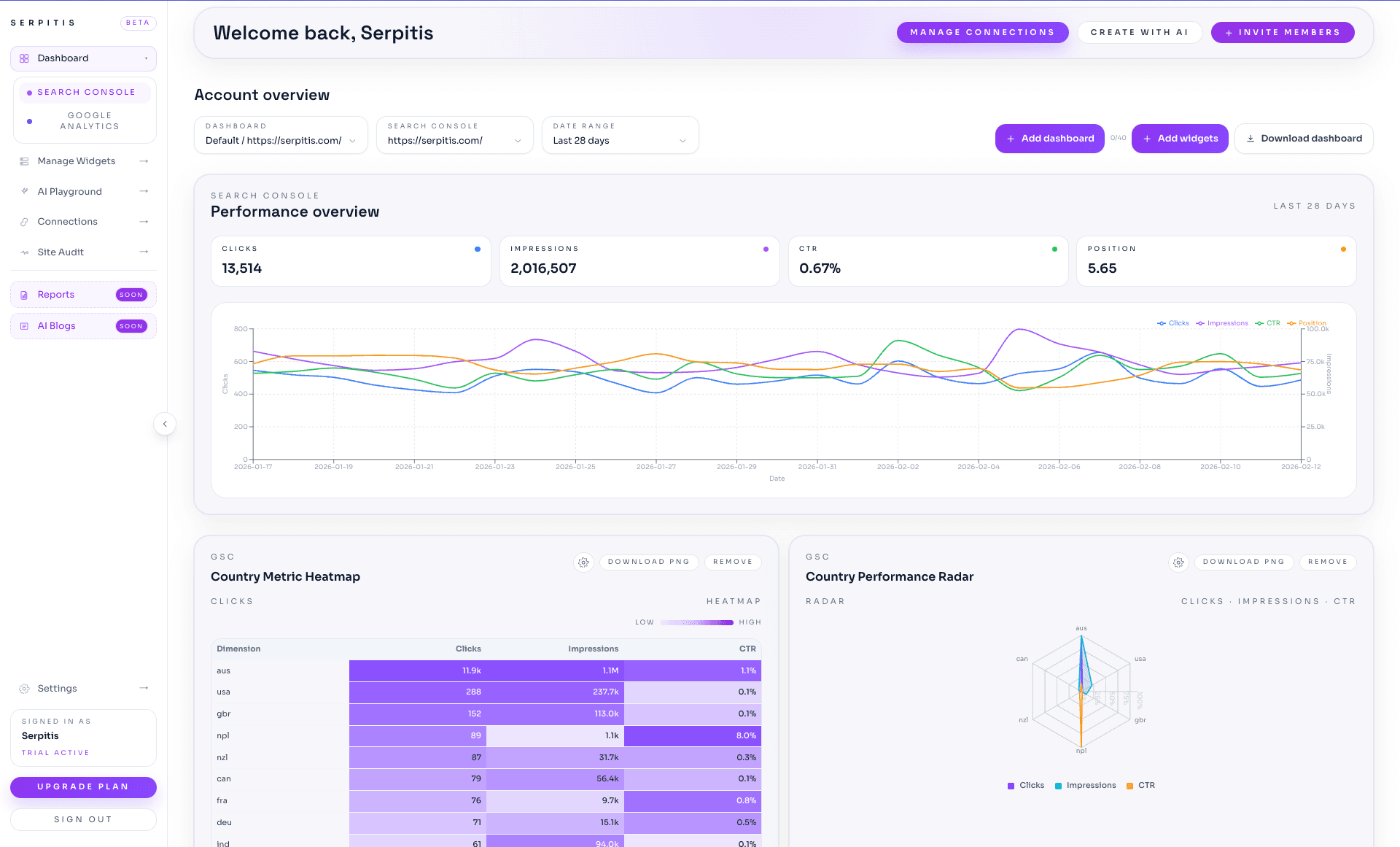
- Track clicks, impressions, CTR, and position trends in one view.
- Spot page and query opportunities before they become missed growth.
- Build stakeholder ready SEO reporting without manual exports.
Get started with Google Search Console
Connect Search Console properties
Authorize Google Search Console in minutes and sync property level data directly into your Serpitis workspace.
Analyze page and query performance
Use AI powered workflows to surface ranking opportunities, declining pages, and trend based risks.
Turn insights into action
Share clear priorities with your team and track progress through repeatable reporting cycles.
How teams use Google Search Console
Centralize search performance intelligence
The Google Search Console integration brings your key search metrics into Serpitis so teams can analyze visibility trends without export heavy workflows.
With clicks, impressions, and query behavior in one workspace, teams can quickly identify opportunities and losses across critical pages.
- Track query and page level search performance together.
- Unify SEO data with broader analytics context in one platform.
- Surface priority opportunities faster for implementation teams.
Turn raw GSC data into prioritized actions
Serpitis helps teams move past passive monitoring by transforming GSC signals into decision ready recommendations and reporting outputs.
This improves execution speed for optimization initiatives and reduces analysis bottlenecks across SEO workflows.
- Generate analytics ready visuals from connected GSC data.
- Highlight content and technical opportunities by impact.
- Support recurring SEO reviews with consistent, clear reporting.
Improve collaboration between SEO and leadership
SEO teams often struggle to communicate performance changes to non specialists. Serpitis presents GSC insights in a way leaders can evaluate and act on.
That shared understanding helps teams secure faster approvals and focus resources on the highest value optimization work.
- Translate search metrics into business relevant narratives.
- Support roadmap decisions with transparent performance context.
- Keep stakeholders aligned on current SEO priorities.
FAQ
Frequently asked questions
Common questions about connecting and operating this integration inside Serpitis for reporting, analysis, and recurring workflow management.
What can we analyze after connecting Google Search Console?
You can analyze query trends, page performance, click through patterns, and visibility shifts directly within Serpitis workflows.
How quickly can we connect Search Console?
Connection is completed through Google OAuth and is typically set up in minutes for authorized properties.
Can agencies use one process across many properties?
Yes. Serpitis supports standardized GSC analysis workflows across multiple properties and client reporting cycles.
How long does it take to set up Google Search Console?
Setup is usually completed in minutes through secure OAuth authorization, depending on your account permissions and property access.
Do we need engineering resources to connect Google Search Console?
In most cases, no. Authorized users can connect Google Search Console directly and start analyzing data without additional engineering implementation.
Can we use Google Search Console across multiple properties?
Yes. Multi-property workflows are supported so teams can scale analysis and reporting while maintaining process consistency.
How frequently does Google Search Console data update in workflows?
Data refresh behavior follows connected-source availability and is optimized for ongoing monitoring, analysis, and reporting cycles.
Can non-technical stakeholders understand outputs from Google Search Console?
Yes. Serpitis structures insights in a decision-friendly format so business teams can review changes and priorities clearly.
Does Google Search Console support recurring stakeholder reporting?
Yes. Teams can use consistent reporting structures to communicate trends, priorities, and impact over time.
How do we monitor integration health for Google Search Console?
Connection status and usage workflows help teams identify issues early and keep analytics operations stable.
Ready to connect your marketing stack?
Start your workspace or book a walkthrough to see how this integration fits your reporting workflow.